BOT REVIEW
AUTOMATING THE PAINFUL SEARCH FOR EXCEPTIONS & ISSUES IN REAL TIMECOMPANY: BOTKEEPER
PROJECT TYPE: NEW FEATURE & ENHANCEMENTS
DATES: DEC 2022 - May 2023
ROLE: LEAD PRODUCT DESIGNER
I was the Lead Product Designer for the entirety of the project cycle, starting with strategy, planning, and requirements gathering through to the design phase, prototyping, user research, and handoff to development. I also collaborated closely with our ML team, Account Expert team, Product Advisory Board, and leadership throughout the project lifecycle.
BOTKEEPER OPERATING SYSTEM - PRODUCT LANDSCAPE
Botkeeper provides an automated bookkeeping solution to accounting professionals that combines a unique mix of people, process, and machine learning to deliver substantial capacity and efficiency gains. The core offering of Botkeeper is a SaaS platform: the Botkeeper Operating System (BOS). BOS is comprised of a suite of tools and technologies that brings all of the bookkeeping tools and data that a CPA firms needs to power their practice into a singular, easy-to-use, and powerful platform. The goal is to take the tedious, time-consuming, manual, and error-prone pieces of the process and make them more accurate and much faster.


WHAT IS BOTREVIEW?
Bot Review is an innovative solution designed to automate the month-end review process, transforming it from a tedious task to a streamlined experience. It meticulously flags any exceptions or variances, allowing for swift review and resolution, and eliminating the need to sift through multitudes of transactions. Bot Review uses machine learning to scan a client’s General Ledger to find exceptions or variances from the norm. If it finds an exception, it automatically adds it to one of the 13 different types of exception reports that the system is capable of generating. All of these reports are generated within the Bot Review module and clicking into any of the reports will show you all the transactions of that type that need attention.
THE PROBLEM
The month-end review process is extremely critical to presenting accurate and reliable financial data. The current month-end review process, like a lot of the accounting processes we are looking to transform, is manual, very time consuming, and error-prone. Incorrect financial data leads to extra work, angry clients, and a slower, less efficient service. Combined, these negatives can lead to a client unknowingly relying on bad financial data and also to client churn.
THE USERS
We have a unique user stack that we have to think about for each feature that is part of the overall Botkeeper Operating System experience.


We have a team of internal accountants and accounting experts that help augment the staff of our partners and provide additional accounting support as needed.
We also must try to satisfy the partner CPA firms which make up our primary target audience; these firms are the users that are paying a recurring fee to access the platform that is based on the number of clients they migrate to BOS and other variables in each firm’s practice.
We also cater to the clients of our partner CPA firms. In most cases, the firms white-label the platform so that their clients are unaware that there is a 3rd party involved in the accounting process. A minority of firms do communicate to their clients about Botkeeper and the platform. Each firm is different in terms of how much access they give their clients to the platform or how involved they are in general in the accounting process.
THE SOLUTION
The final designs for BotReview needed to solve a diverse set of problems. By the end, we needed to make sure that:
the manual process of finding exceptions at month-end was fully automated
the ability to action an exception in-place without navigating away from BotReview was possible
there was some sort of way to track the exceptions that were detected and display any and all actions associated with those exceptions
we fully eliminated the need for using a 3rd-party vendor that cost over $100,000 annually
THE SOLUTION: PROCESS & METHODS

RESEARCH:
Diary studies and ride-alongs with members of the BotOps/Accounting Experts team and with CPAs from our partner firms
Identification of key pain points
Competitor Analysis
DESIGN & ITERATION:
Mapping the UX flow
Collaborative design sessions
Rapid wireframing
Prototyping
FEEDBACK:
Design reviews with stakeholders (internal and external)
Multiple rounds of user testing
Frequent critiques with fellow designers
THE SOLUTION: KEY FEATURES
EXCEPTION REPORTS FOR ALL IDENTIFIED TYPES
The 13 exception types that were identified through the user research are as follows:
Uncategorized Transactions - When a transaction is posted to an "uncategorized" GL account
Duplicate Transactions - When two or more transactions have similar amounts, dates, and descriptions
Similar Transactions - When two or more transactions have similar descriptions but are categorized to different payees or GL accounts
Purchases Missing Payee - When purchase transactions are missing a payee
Deposits Missing Customer - When deposit transactions are missing a customer
Duplicate Payees - When two or more payees have similar naming
New Payees with Activity - When a new payee has a transaction for the first time
New Accounts with Activity - When a new GL account has a transaction for the first time
Parent Accounts with Activity - When a parent GL account has a transaction posted to it
Unreconciled Transactions - When a transaction is not reconciled in the GL
Capitalization Threshold - When a transaction is greater than $2,500
Non-Natural Accounts - When a GL account has a balance that is opposite of what it should be
Missing Transactions - When a recurring transaction is not available in the GL
UNIQUE ACTIONS RESPECTIVE TO EACH EXCEPTION
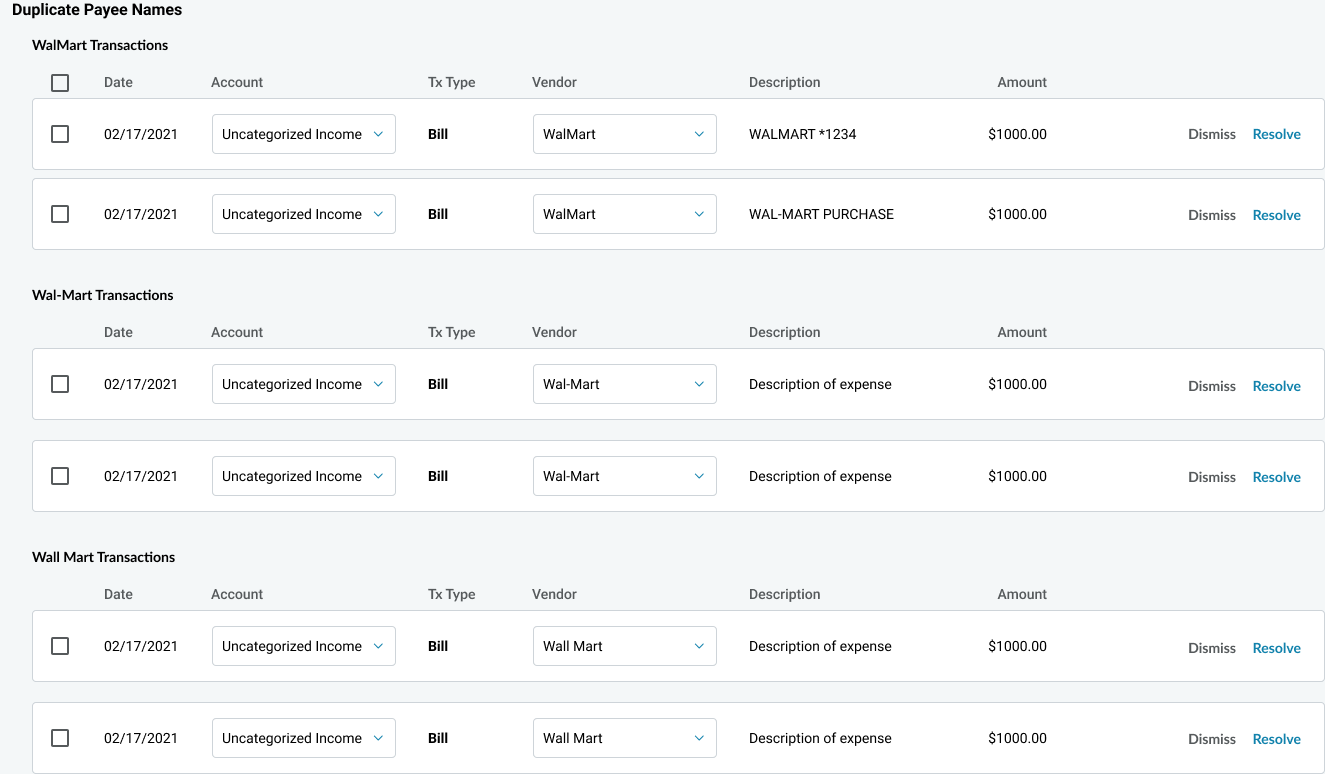
Each exception type has a certain set of actions that is dependent on the nature of the issue. But in the Bot Review interface, we were able to distill it into 2 variations on the available actions on the front-end. Examples of both variations are pictured below.
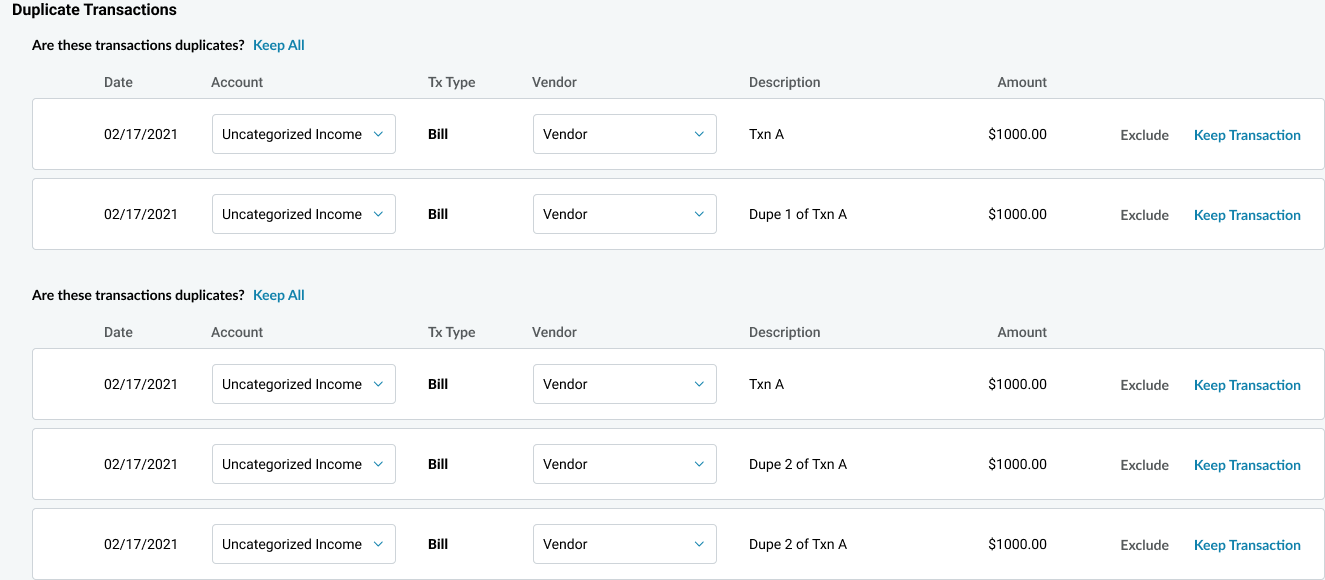
For duplicate transactions, the dupes are grouped together by transaction. The user has the ability to Keep Transaction (transaction is added to the GL) or Exclude (the transaction is removed from the GL and marked as a duplicate). For each set of duplicates, the user is also able to Keep All (all of the grouped transactions are added to GL; in this case, BotReview may have mistakenly identified them as duplicates).
For duplicate vendor/payee names, the transactions are grouped by vendor/payee. In this example, we see a few different variations on the spelling of WalMart. The user is able to change the vendor/payee directly in Bot Review if necessary. For each transaction, the user is able to Resolve (indicates that the exception has been actioned and update the transaction) or Dismiss (indicates that there is no exception for that transaction and removes it from the report without updating the transaction).
PROGRESS INDICATORS
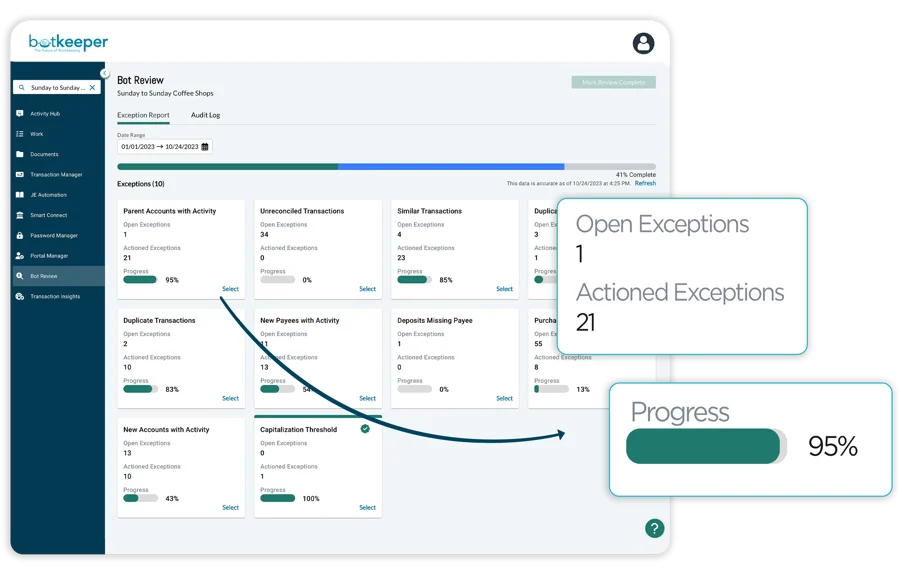
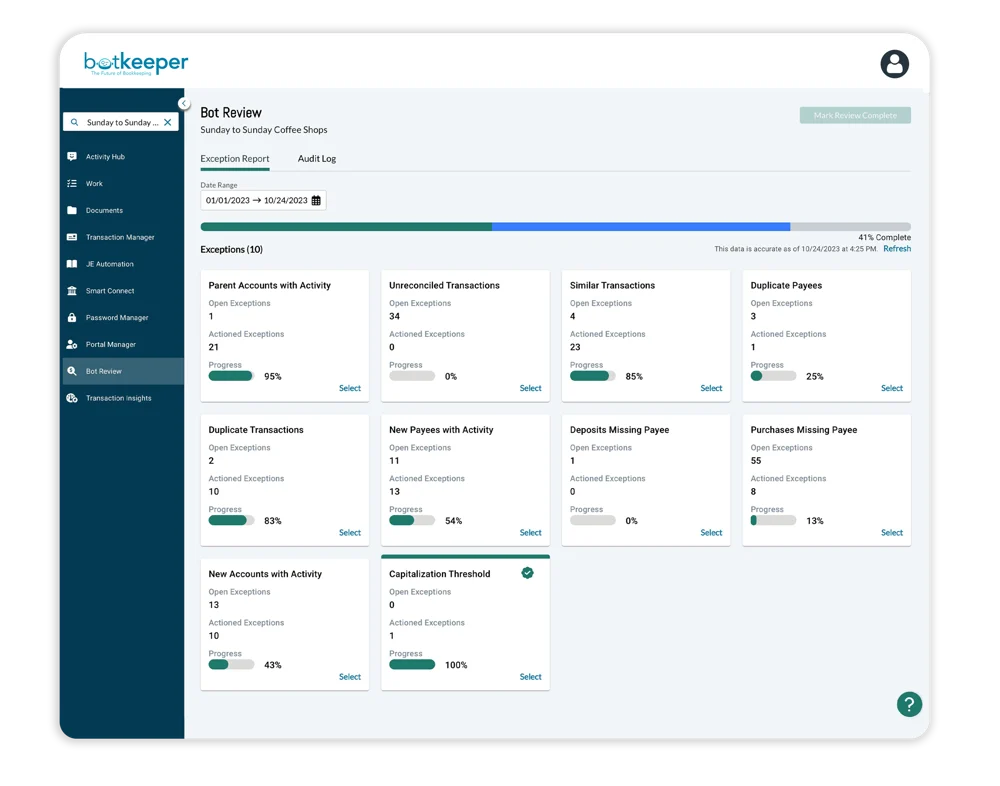
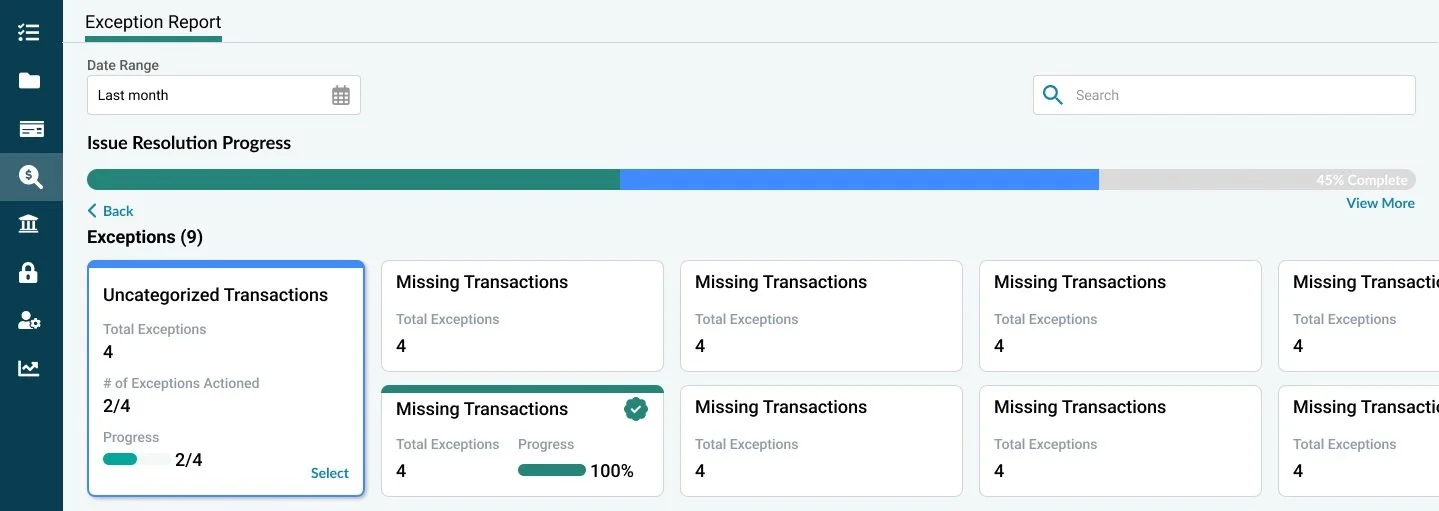
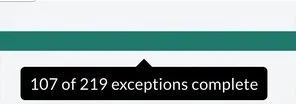
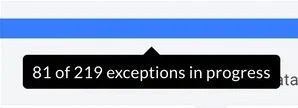
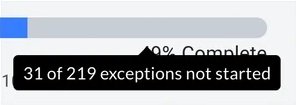
With progress bars on each exception report as well as an overall progress bar on the Bot Review section, you can see how much review work remains. Easily plan your time out and know exactly where you stand. You can even be proactive and address exceptions as they emerge, leaving you with a greatly simplified month-end review.
INDIVIDUAL PROGRESS TILES
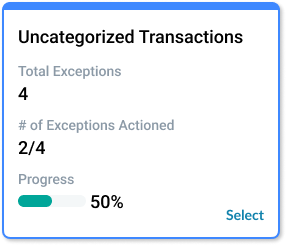
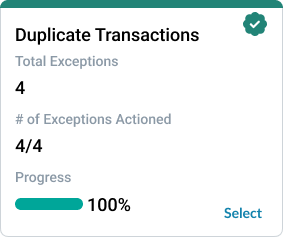
Each exception type has it’s own tile where the user is able to quickly see the total number of exceptions for that type and the number that have already been actioned. It also provides a CTA for the user to drill down into the details of that specific exception type’s report.
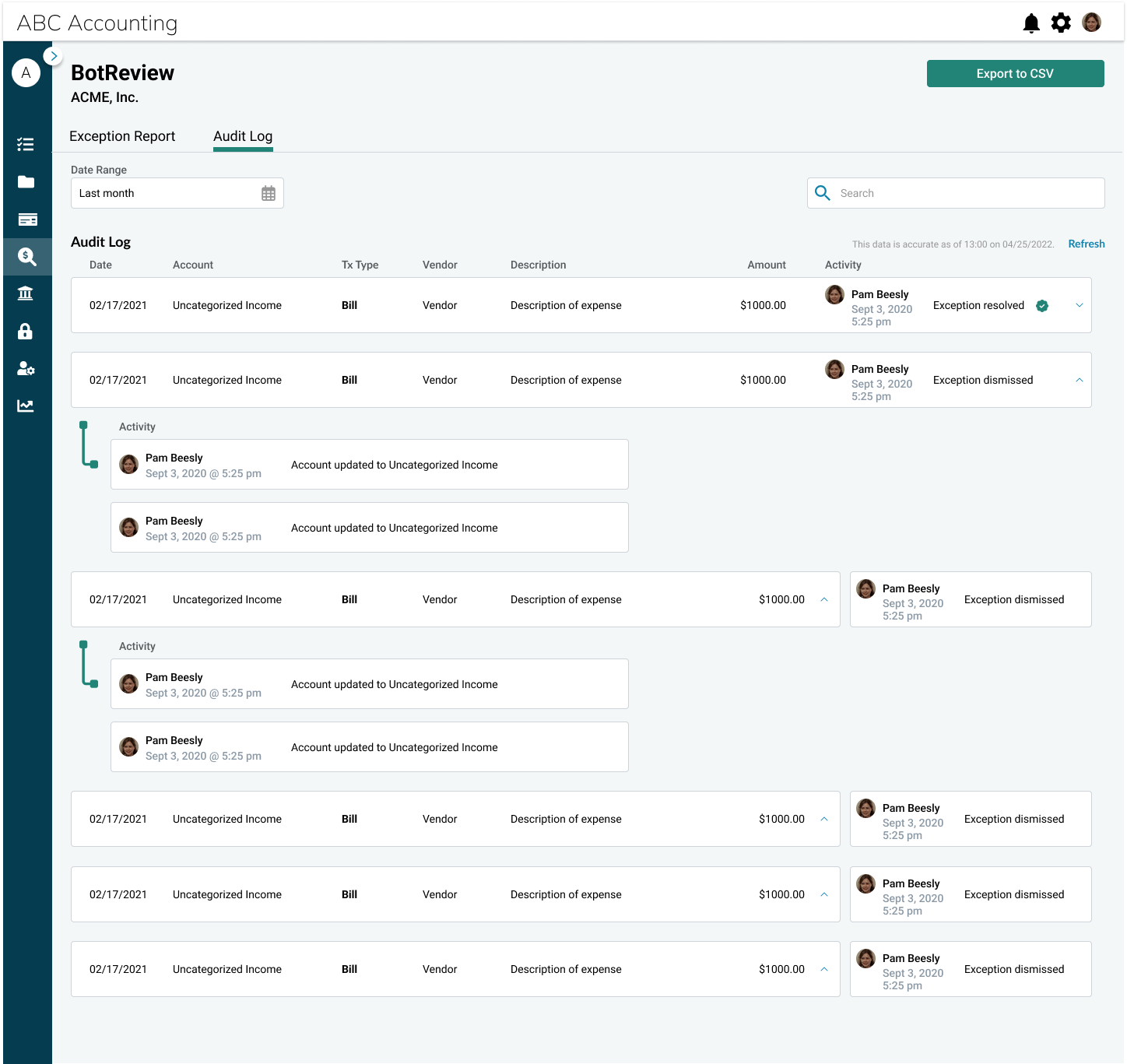
AUDIT LOG
Once all exceptions are actioned and the review has been completed, the audit log is populated with data that shows the lifecycle of the transactiton and is able to drill down into the details of each transaction’s lifecycle. The audit log can also be exported into a CSV format.